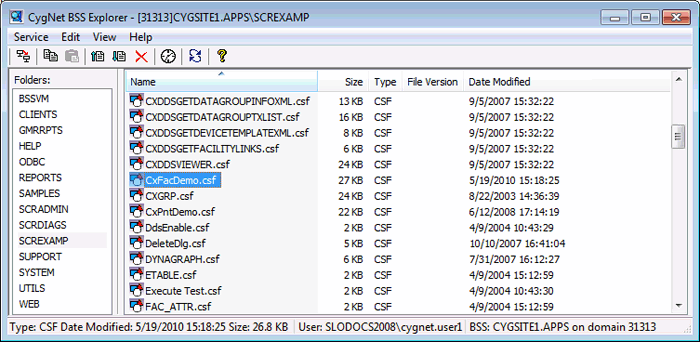
The CygNet BSS Explorer is a client application for viewing, editing, and managing files in a BLOB Storage Service (BSS).
BSS Explorer is stored in the CygNet\Utilities directory (BssExplorer.exe) on the host server.
To install and launch (start) the application or utility using version management:
-OR-
Alternatively, browse to the CygNet\Utilities directory using Windows Explorer and double-click the program icon. You can also start an application or utility from a command line. These methods do not provide version management.
The CygNet BSS Explorer dialog box appears.
|
|
| BSS Explorer Interface |
Once a site service is selected, a list of BLOB folders is presented in the Folders pane on the left side of the dialog box. Clicking on a folder name brings up a list of all the files contained within that folder in the right pane of the dialog box.
BSS Explorer closely mimics the functionality of Windows Explorer, including drag and drop and common keyboard shortcuts (for example, Ctrl+Click, Shift+Click, F5).
More:
 File Management Using BSS Explorer
|
|
|

